MPS-400, MPS-400D
Advanced auto-framing for up to 4 cameras.
MPS-400 is 1RU enterprise class; MPS400D is a desktop model.


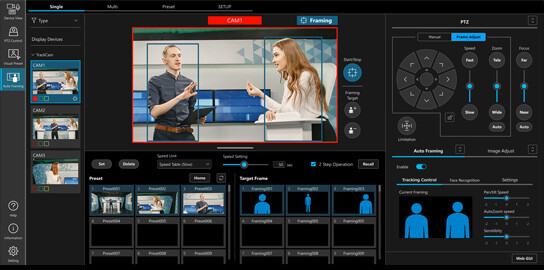
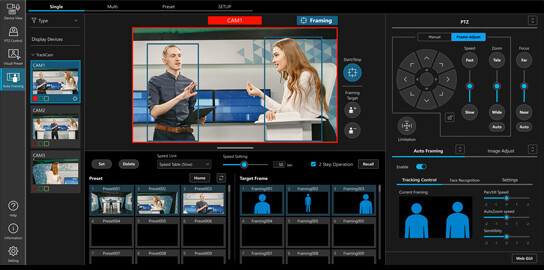
Panasonic’s Advanced Auto Framing incorporated intelligent auto tracking, multi-subject image recognition, and human-like auto framing composition technologies to deliver precise, user-defined camera framing for high quality, natural content.
AW-SF500
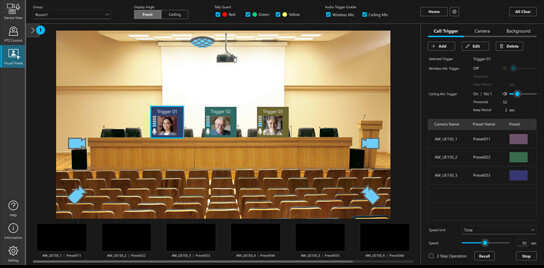
Auto Framing brings professional-quality production within reach for any team. With multiple framing presets designed for on-site efficiency, it intelligently coordinates coverage across multiple presenters — keeping every angle perfectly composed without a dedicated operator for every shot. Perfect in lecture halls, conference rooms, or anywhere presentations happen.
Explore with a 30-Day Free Trial
SKU: AW-SF400
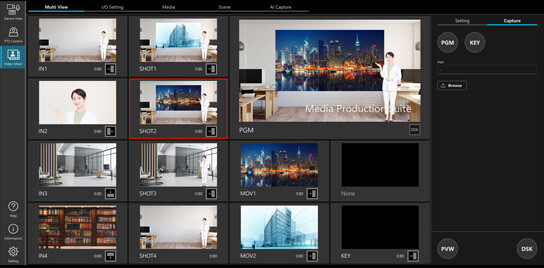
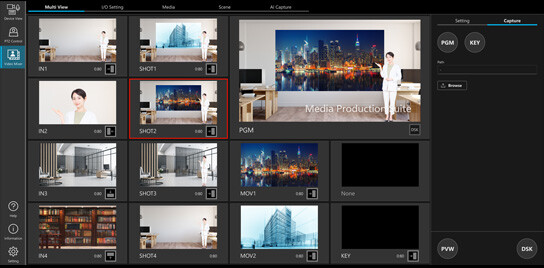
Sophisticated visual production has long been out of reach for teams without dedicated studios or specialist operators. The Video Mixer Plug-in changes that equation. AI keying without a green-screen, real-time mosaic processing, and automatic face-tracking PiP bring broadcast-quality tools to any team. A full virtual studio experience complete with graphics, clip inserts, and chroma-key effects is now well within reach
Explore with a 30-Day Free Trial
SKU: AW-SF300
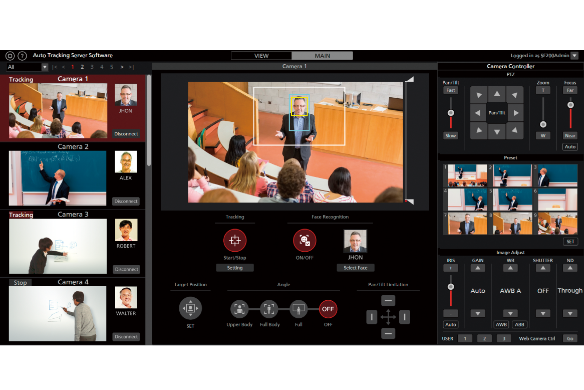
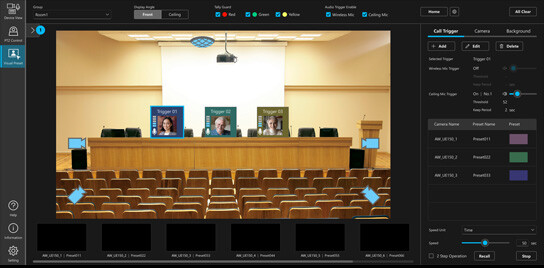
AI-powered auto-tracking changes the game for panel discussions and multi-speaker productions. Facial recognition and human-body detection work together to keep your camera locked on whoever's talking — even when they move. Smooth, precise coverage that lets your team focus on the production.
Explore with a 90-Day Free Trial
SKU: AW-SF200
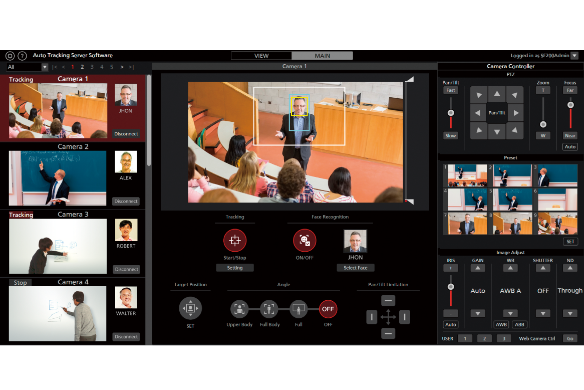
With the power of AI, the Auto‑Tracking Plug‑in for Media Production Suite enables facial recognition and human‑body detection for high‑precision tracking and intuitive, flexible shooting. It’s especially useful in panel or multi‑speaker environments, where it can smoothly follow a host or any participant
Explore with a 90-Day Free Trial
Advanced auto-framing for up to 4 cameras.
MPS-400 is 1RU enterprise class; MPS400D is a desktop model.
Advanced auto-framing for up to 4 cameras.
MPS-400S is 4RU enterprise class.
Advanced auto-framing for up to 6 cameras.
MPS-600 is 3RU enterprise class.
No SDI available with plug-in.
MPS-400 is 1RU enterprise class.
MPS400D is a desktop model.
SDI In/out available.
MPS-400S is 4RU enterprise class.
No SDI available with plug-in.
MPS-600 is 3RU enterprise class.
MPS-100 is 1RU enterprise class.
MPS100D is a desktop model.
MPS-400 is 1RU enterprise class.
MPS400D is a desktop model.
MPS-400S is 4RU enterprise class.
MPS-600 is 3RU enterprise class.
Auto-tracking for up to 6 cameras.
MPS-400 is 1RU enterprise class; MPS-400D is a desktop model.
Auto-tracking for up to 6 cameras.
MPS-400S is 4RU enterprise class.
Auto-tracking for up to 8 cameras.
MPS-600 is 3RU enterprise class.
Panasonic gives you everything you need to capture, create, and deliver stunning live experiences.