Low_Extron Anaheim Control Room

Build Your AV Infrastructure

Explore Panasonic's AV Solutions for IT and IP Production Infrastructure, including device management, monitoring, and orchestration for enhanced live video production across various environments from broadcast, live events and education.

Contact Us

Small Scale ST-2110 Networks

With a full complement of native ST 2110 cameras, ST 2110 Native KAIROS live production platform and an NMOS control, Panasonic can take advantage of the latest AV friendly IP switches to configure elegant small-scale ST 2110 Networks.

Panasonic’s ST 2110 Studio cameras can output multiple VLAN Networks from the hybrid fiber cable connections, including ports for HD/UHD output, return video, Intercom, tally & camera paint control, all on one network port.

ST 2110 Network Camera Control Unit (CCU) Replacement

Panasonic’s ST 2110 Studio cameras can output multiple VLAN Networks from the hybrid fiber cable connections, including ports for HD/UHD output, return video, Intercom, tally & camera paint control, all on one network port.

Utilizing new, more affordable, ST 2110 managed network switches, gateway switches, PTP clocks and SDI Gateway devices, the functionality of multiple camera control units can be packed into one 100G switch for easy connection to an ST 2110 backbone or SDI operation with reduced weight and cost.

Diagram showing how Panasonic KAIROS easily connects to a versatile ST 2110 Network with 100G QSFP cables

ST 2110 KAIROS “Throw Down” I/O Hub

Panasonic KAIROS easily connects to a versatile ST 2110 Network with 100G QSFP cables. That network can be as simple as two managed switches providing connectivity to 16 ST 2110 native devices or SDI gateways as well as connectivity to control tally and other networks responsible for, orchestration, device

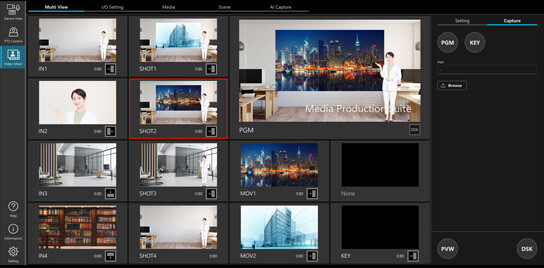
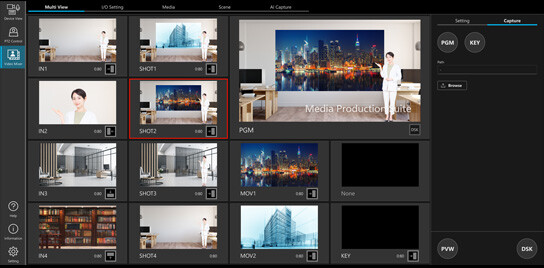
Media Production Suite software displayed on a professional monitor alongside Panasonic MPS media processing hardware, enabling streamlined camera control, switching, and live production workflows for ProAV environments.

AV Automation

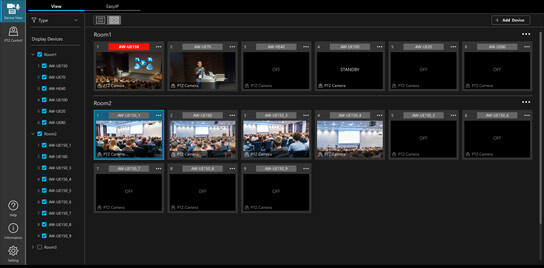
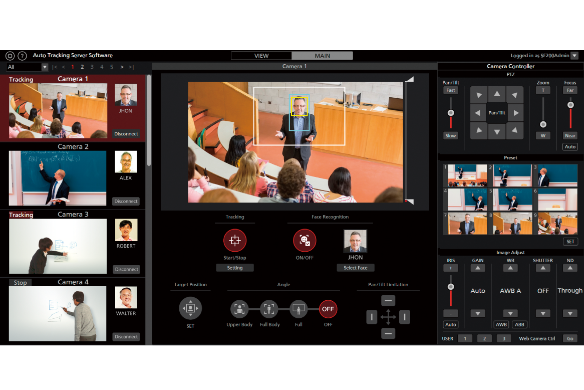
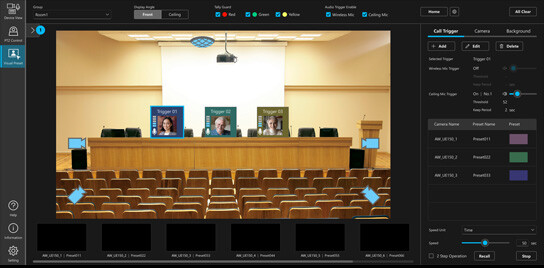
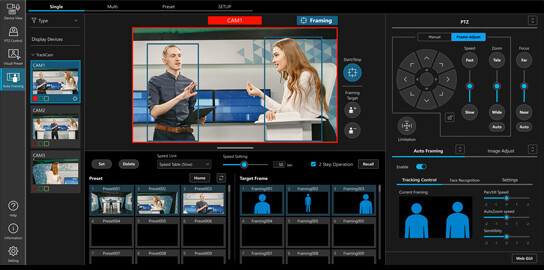
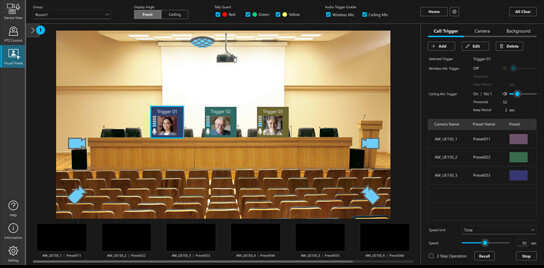
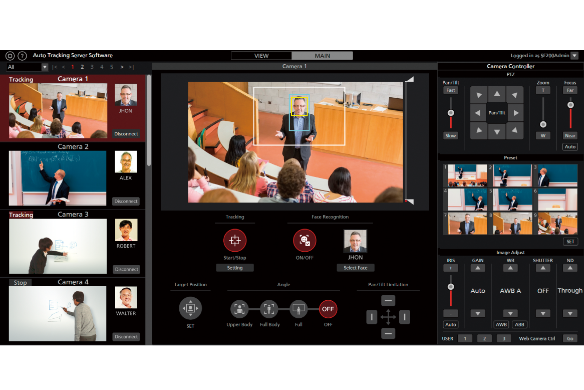
By centralizing the management and monitoring of Panasonic cameras, the Media Production Suite facilitates the streamlining of setup, management, and control – even in dynamic shooting environments such as online lectures, webinars, academic conferences, and live events.

Industry Solutions

Panasonic gives you everything you need to capture, create, and deliver stunning live experiences.

Other Software

Discover software options specifically designed to integrate and expand control of Panasonic Professional Cameras.
  • With the free PTZ Virtual USB Driver software application for Windows, you can convert select Panasonic Professional PTZ cameras and CX Series camcorder on your network into super web cams. This makes it possible to use remote cameras on your network as USB cameras.
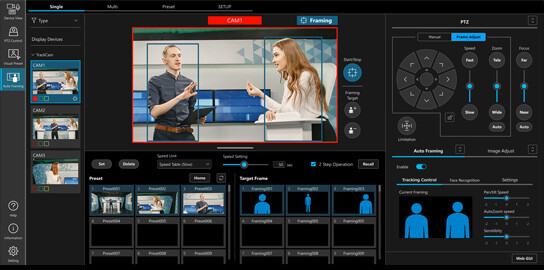
  • PTZ Control Center is a free software controller for Panasonic PTZ cameras. It lets you easily access and control your cameras from one place, manage camera presets, adjust settings and images, move data between cameras, and oversee users—all remotely. You can operate your robotic cameras with a mouse, keyboard shortcuts, touchscreen, or even a joystick or game controller.
  • Imagine the possibilities of a camera that can serve as a live video input for any NDI® compatible hardware or software from anywhere on your network. Integrated and automatic tally support via NDI®, motor-driven pan-tilt-zoom operation with preset positions, remote control over IP, remote capture & recording.
  • EasyIP Setup Tool Plus is a piece of freeware that enables the centralized management of a range of network settings and firmware updates for PTZ Cameras. It supports efficient camera setup and operation in a range of situations where multiple cameras are used, including during installation work and setup for events.
  • Panasonic PTZ cameras feature the FreeD protocol, allowing Live Augmented Reality, Virtual Reality & Extended Reality video production.
  • TUNING S software is a powerful Windows-based PTZ camera control solution developed by Tecnopoint. The TUNING software can be used standalone or in conjunction with Tecnopoint dollies and/or columns. It is a plug & play, easy to use software, providing full control of Panasonic PTZ cameras and the Tecnopoint system components.

AV Solutions

Want to schedule a demo, or need support with your AV product? Fill out the form to get in touch with one of our experts. 

* Required.